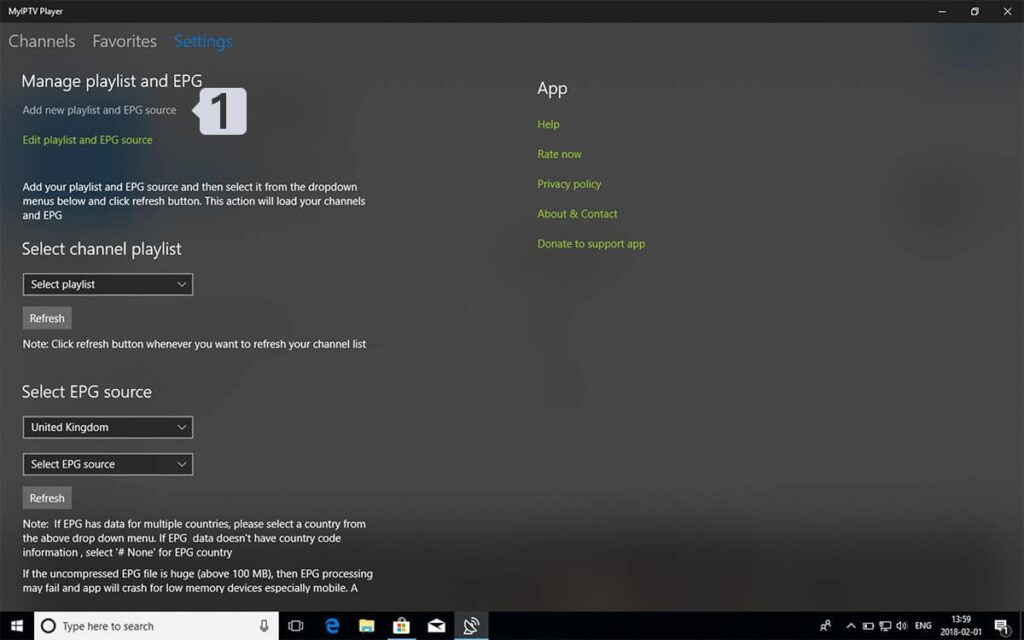
Go to Settings tab and open Add new playlist and EPG source
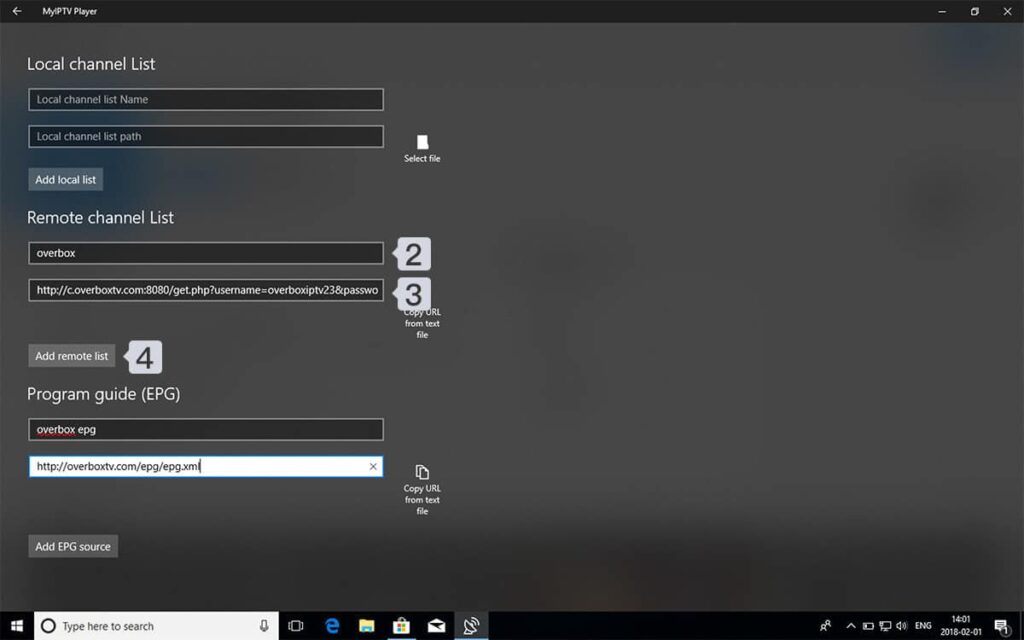
Enter M3u Link
Type a name (eg. xtream) in Remote channel list name field. Enter (paste) M3u link from HexaStream IPTV in Enter remote source URL Press Add remote list
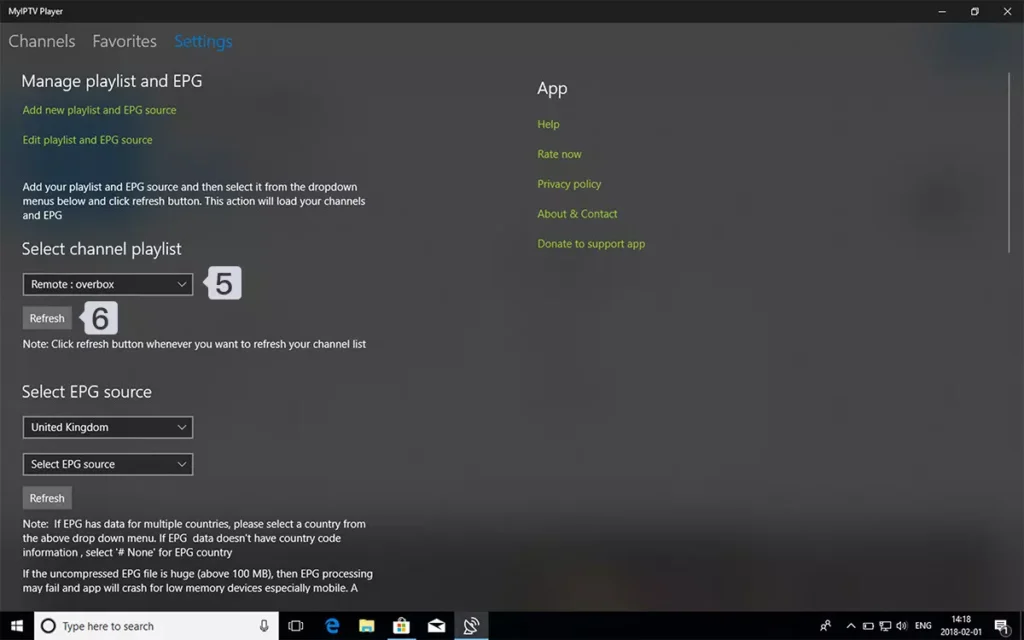
Select list to load
Back to Settings and select overbox in Select Channel playlist
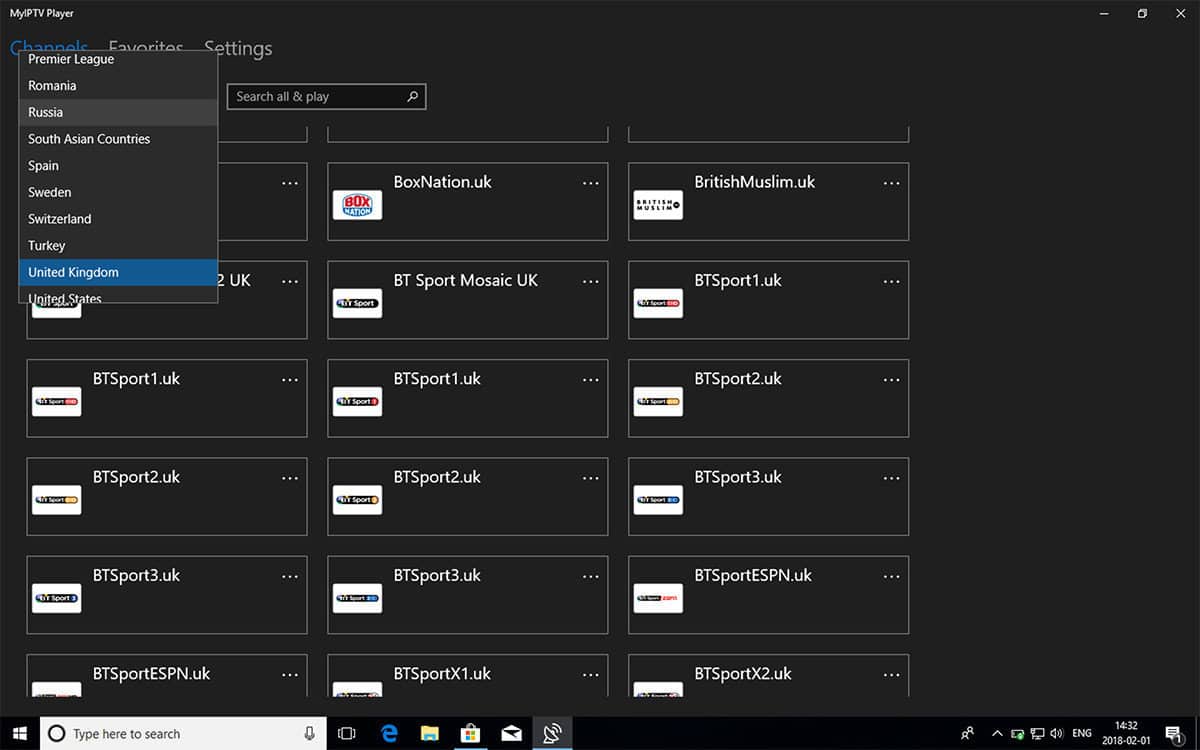
Watch Channels and VOD
Done , Back to Channels tab now and select your country you want to watch TV channels .
FAQS
How can I add EPG to myIPTV player?
You can add EPG URL in step 2 , under Program guide (EPG) section .




Comments (0)